
LinkedIn Premium Discount: 4 Legit Ways to Pay Less or Get It Free (2027)
Four LinkedIn Premium discount routes that actually work in 2027, straight from LinkedIn's own pages: the free trial, annual billing, partner offers and the U.S. military programme. Who qualifies for each, and which coupon sites to ignore.

Need accounts to run this playbook? Enquire Now
The four legit ways to pay less for LinkedIn Premium
LinkedIn publishes four legitimate ways to pay less for Premium or get it free: a free trial (no fixed length, a card is required, and it auto-renews), annual billing (up to 50% off the cheaper tiers), its own partner offers (three months free through Adobe right now), and a twelve-month free programme for the U.S. military community.
A real LinkedIn Premium discount comes from one of those four routes, not from a coupon site. Every one of them lives on a page LinkedIn owns, so you can read the conditions yourself. The "discount codes" and "cheap Premium accounts" you see sold elsewhere are not LinkedIn offers, and they can cost you the account. Prices here are LinkedIn list prices per seat, before tax, checked November 2026.
| Route | Who it is for | What you get |
|---|---|---|
| 1. Free trial | Most members, if eligible | A free run at Premium, no fixed length, card required |
| 2. Annual billing | Anyone who keeps the plan a year | Up to 50% off the monthly price |
| 3. LinkedIn's own offer links | Members of a partner programme (e.g. Adobe Creative Cloud) | Three months of Premium Career free right now |
| 4. U.S. military community programme | Eligible U.S. service members, veterans and spouses | Twelve months of Premium free |
The rest of this page takes them one at a time, in the order most buyers will find useful.
1. Start with a free trial, but know what free means
LinkedIn does run a "Try for free" offer. Both plan pages carry it ("Start your free trial today. Easy to cancel"), so the cheapest first move is often to trial the tier you want before you pay for it. But "free trial" hides more conditions than the listicles admit, so read these first.
- There is no fixed length. LinkedIn's own help page lists the trial duration as "Varies by region or promotion," and says eligibility and length "may vary based on regional availability or promotional terms." Plenty of people get about a month. LinkedIn does not promise it. The offer screen on your own account states the actual terms.
- Not everyone qualifies. "Not all members qualify for a free trial. Eligibility depends on regional availability and promotional terms."
- A valid credit card is required, and at the end of the trial your subscription "automatically converts to a paid plan unless canceled beforehand." If you do not cancel in time, the trial becomes a paid month.
- A past trial can block a new one. If you have already used a free Premium trial, LinkedIn says you "may not be eligible for any further free Premium subscriptions."
- Cancelling locks you out for a year. If you cancel a free trial, you "won't be eligible to sign up for another free trial for at least 12 months."
- Cancelling also ends access straight away. Unlike a paid plan, which runs to the end of its cycle, cancelling a trial stops Premium access immediately.
So the trial is real and worth taking if you are eligible, as long as you treat it as a paid plan with a free window at the front: set a reminder, decide before the window closes, and cancel in time if you do not want to keep it.
2. Pay annually to cut the price by up to 50%
Annual billing is the one discount available to everyone. You pay for twelve months up front and LinkedIn knocks a chunk off the monthly rate. How big a chunk depends entirely on the plan, and the spread is wide.
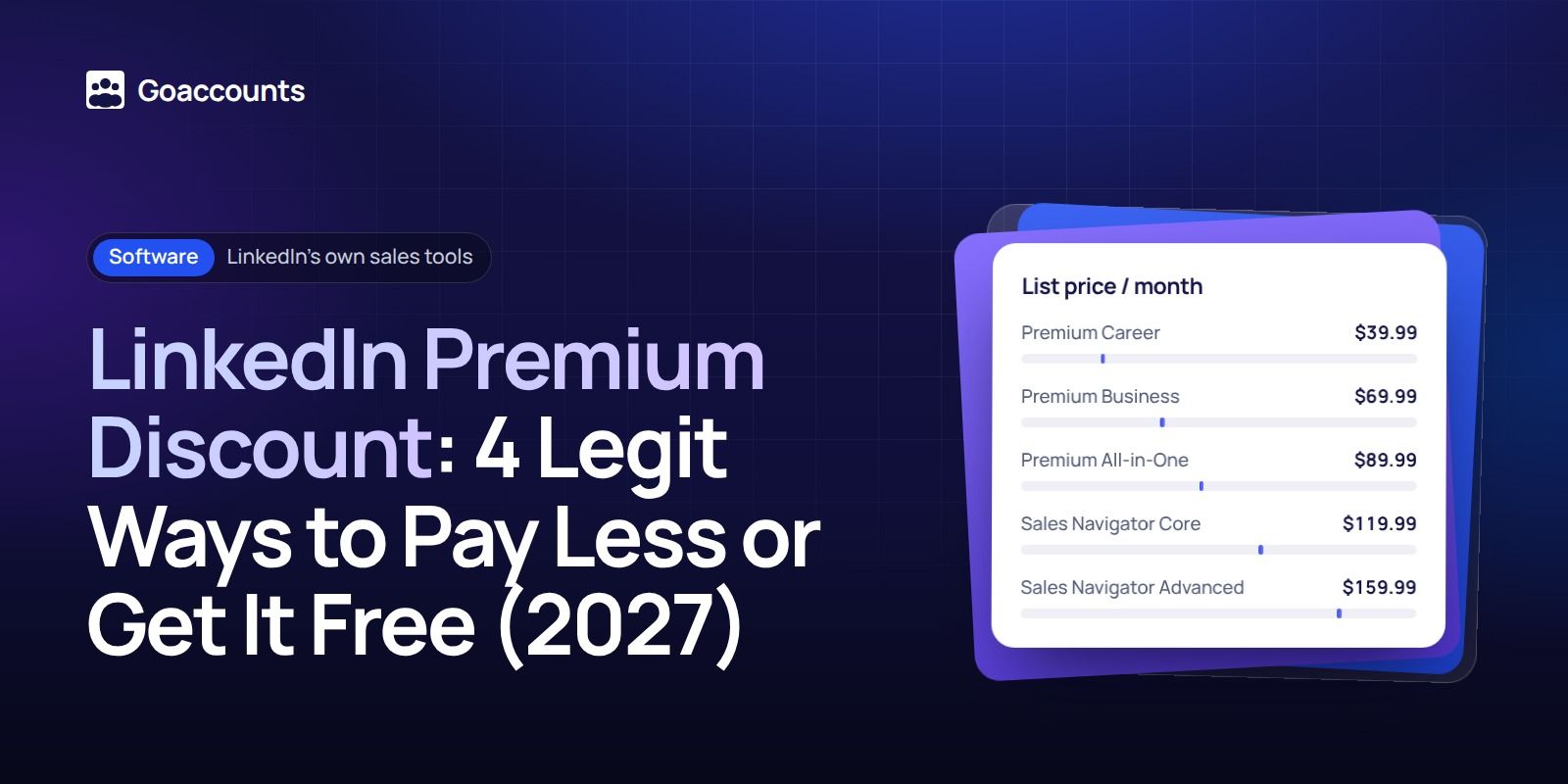
Here is what each tier saves, worked out from LinkedIn's own monthly and yearly list prices . The dollar figures and the "works out to about" column are our arithmetic on LinkedIn's numbers; LinkedIn shows the monthly and yearly totals, not a per-month-on-annual figure.
| Plan | List price / month | List price / year | Annual saving | Works out to about |
|---|---|---|---|---|
| Premium Career | $39.99 | $239.88 | 50% (about $240 / year) | $19.99 / month |
| Premium Business | $69.99 | $539.88 | 36% (about $300 / year) | $44.99 / month |
| Premium All-in-One | $89.99 | $899.88 | about 17% (about $180 / year) | $74.99 / month |
| Sales Navigator Core | $119.99 | $1,079.88 | 25% (about $360 / year) | $89.99 / month |
| Sales Navigator Advanced | $159.99 | $1,799.88 | 6% (about $120 / year) | $149.99 / month |
LinkedIn lists Premium Career and Business prices on its own plan pages and Sales Navigator prices on its comparison page; the Premium All-in-One figures above ($89.99 / month and $899.88 / year) are LinkedIn's list prices as we read them on 16 November 2026 and are not shown on the public Sales Navigator comparison page, so confirm them at LinkedIn checkout.
Pay yearly on Premium Career, Business or Sales Navigator Core and the saving is real money. On Sales Navigator Advanced, annual billing only trims about 6%, so the "pay yearly and save" advice barely applies there. Two caveats hold across all of them. Annual billing locks you in for a year, so it is only a saving if you would have kept the plan anyway. And these are U.S. list prices before tax; prices differ by country (UK Sales Navigator Core is £94.99 a month, Advanced £130.00), and LinkedIn notes they "may exclude VAT, GST, and/or promotional discounts."
3. Use LinkedIn's own offer links
Beyond the trial, LinkedIn runs offers with named partners, and those are the real "get it cheaper or free" links worth chasing. The clearest current example is the Adobe Creative Cloud offer: LinkedIn gives qualifying Adobe members "three months of LinkedIn Premium Career for free."
- Who qualifies: the offer is "available to all paid Adobe Creative Cloud members or Express Premium subscribers who have not previously tried LinkedIn Premium."
- Who is excluded: it is "not available to users who have a current or recently active subscription of LinkedIn Career, LinkedIn Business, Sales Navigator, or Recruiter Lite."
- How to redeem: you claim it through "unique redemption links provided on Adobe home and the Creative Cloud Perks page," with details on the Adobe benefits page, not on LinkedIn.
- The fine print: the offer is "non-transferable and may not be resold" and is "subject to additional fraud and abuse safeguards."
Partner offers come and go, so treat this as the pattern rather than a permanent deal. LinkedIn also shows some members a trial or discounted offer at the Premium upsell inside the product, with no fixed discount published. The move is to check two places: the offer prompt on your own LinkedIn account, and the benefits or perks page of any software you already pay for. If a partner offer is live and you qualify, it is a genuine LinkedIn discount. If a "code" turns up anywhere else, see the discount-codes section below.
4. Free Premium for the U.S. military community
LinkedIn runs a standing programme that gives eligible members of the U.S. military community free Premium. Its own page is the one to read, because the third-party write-ups get the details wrong.
- What you get: "complimentary LinkedIn Premium subscriptions." It is "a one-time offer which lasts for 12 months once redeemed," and "after the one-year promotional period, your subscription will terminate."
- Who qualifies: "eligible service members or veterans of the U.S. Armed Forces, and spouses of service members or veterans," described as jobseekers of the U.S. military community "navigating near-term job transitions." Eligibility is set "by LinkedIn's nonprofit partners in their sole discretion," and you must be someone "who do not have a Premium subscription at the time of redemption."
- How to get it: Premium "is distributed via select nonprofit organizations," and to be eligible you "must participate in career services provided by one of the organizations." The named partners are Hire Heroes USA, Student Veterans of America and Hiring Our Heroes, and it is "available on a first-come, first-served basis."
- Terms: the offer is "not transferable and may not be sold, shared, or bartered," and it is one offer per eligible subscriber.
A few things the blogs add that LinkedIn's page does not say: there is no ID.me step on the page, caregivers are not named, the tier is written as "Premium" rather than a specific plan, and LinkedIn Learning is listed as a separate resource, not as part of the free Premium. The programme is U.S.-only and "void where prohibited or restricted by law." If you qualify, this is the most generous legitimate route on the list.
Are LinkedIn Premium discount codes real?
Some are, most are not. A LinkedIn Premium discount code is only real when it sits on LinkedIn's own page or on a named partner's page, like the Adobe offer above. Those are the only codes LinkedIn honours.
Search for "cheap LinkedIn Premium" and you will also find resale offers: "lifetime" Premium, "discounted" accounts, loose "codes" sold on forums and social sites. None of those is a LinkedIn discount. LinkedIn's Professional Community Policies tell members not to use another person's account or share their own, so buying access to someone else's Premium account puts your activity on an account you do not control and breaks LinkedIn's rules. The usual outcome is a restricted or lost account with no one to appeal to. If a deal is not on a LinkedIn page or a named partner's page, treat it as not a discount. We are not going to point you at any of those sellers, and you should not trust one.
A discount will not lift your outreach ceiling
A cheaper subscription does not let you do more outreach, and outreach is why most people buy Premium in the first place. LinkedIn caps how many connection invitations you can send from one profile each week, and that limit applies to every member, Basic and Premium alike. No tier raises it, discounted or not. If your account keeps hitting that wall, cutting the price of the subscription does not move it. The same logic shows up when an account gets restricted: the fix is rarely the plan you are on.
So if the real goal is more conversations, you need more seats, not a cheaper plan on one. That is where renting accounts comes in, and whether you want real or fabricated accounts depends on the work. If you would rather not risk your own profile, sign up at GoAccounts and get aged, ID-verified LinkedIn accounts in 3 to 10 days, depending on how many accounts you need. Each one rents from $143 a month with its own static ISP proxy and browser profile, and you can add Sales Navigator Advanced for $40 (LinkedIn list $159.99) or Recruiter Lite for $98. If you are scaling outreach across more than one account, that beats hunting for a subscription discount. See GoAccounts pricing for the full ladder, or the GoAccounts academy for the walkthroughs.
FAQ
How can I get LinkedIn Premium for free?
Three legitimate routes. Take the free trial if you are eligible (it needs a card and auto-renews). Claim a partner offer if you qualify, such as the current Adobe Creative Cloud deal of three months of Premium Career free. Or, if you are part of the U.S. military community, apply through one of LinkedIn's nonprofit partners for twelve months free.
Is LinkedIn Premium cheaper if you pay annually?
Yes, and the saving depends on the plan: about 50% on Premium Career, 36% on Premium Business, 25% on Sales Navigator Core, and only about 6% on Sales Navigator Advanced. Annual billing locks you in for a year, so it only saves money if you keep the plan.
How long is the LinkedIn Premium free trial?
LinkedIn does not publish a fixed length. Its help pages say the duration "varies by region or promotion." Many people get about a month, but the real terms show on the offer screen in your own account. A card is required and the trial converts to a paid plan unless you cancel first.
Are LinkedIn Premium discount codes and coupons legit?
Only when they come from LinkedIn's own pages or a named partner like Adobe. Third-party "codes" and "cheap Premium accounts" sold elsewhere are not LinkedIn offers, and using a shared or sold account breaks LinkedIn's rules and risks the account.
Researched and drafted with AI assistance from our team's notes, and checked against LinkedIn's own plan, help and social-impact pages on 17 November 2026 by the GoAccounts Team.



















































